

Does this sound familiar? You record something, write a caption, post it on social and move on, mostly because your account needs updating and your brand is expected to be everywhere at once.
The step that rarely happens is the one that should come after: going back to look at which posts actually moved someone toward a booking, and why.
However, in a time where direct bookings are rapidly losing ground to online travel agencies (OTAs), posting to post rarely moves the needle: it’s the operators with a clear strategy that are able to turn social videos into direct bookings. In this article, we’ll walk through examples from operators around the world who are growing direct bookings through social — and the moves you can make today to make your videos count.
Five Moves to Make Your Short-Form Videos Count
1. What Actually Sells: The Fear of Missing Out
Do not just describe your tour: showcase the experience, the best bits, generate the FOMO. Videos that convert make the viewer want to be standing where the subject is standing. They go beyond description to spark desire.
A description video shows the meeting point, the route, the vehicle and a closing page with your logo. A desire video shows the plate of Tapas arriving at the third stop, the guide’s mischievously satisfied face when their punchline lands, and a guest going quiet when the incredible dish comes out of the kitchen still sizzling. One informs. The other creates an itch: ‘I need to experience this for myself!’
Get Up and Go Kayaking sells the water, and the experience.
This reel from Get Up and Go Kayaking is the purest example of a “desire” video. The video does not explain the tour, it makes you want to be in the kayak and experience the incredible water, animal sightings and more for yourself.
This is also the mechanism behind the numbers everyone quotes about social and travel. Research from Phocuswright’s Social Media Usage Approach in Travel found 57 percent of travelers use social media for trips and 62 percent of those users made a specific trip decision after viewing social content. They did not decide because a video listed inclusions. They decided because they saw someone else having the day they wanted.
Three formats do this well:
- Point-of-view footage shot at eye height, so the viewer occupies the guest’s position.
- The reaction shot, where you film the person rather than the thing.
- And the reveal, where you fix the view on something ordinary for two seconds before something magnificent comes into sight: such as the boat rounding the headland.
Operator Takeaway: Watch your last five videos with the sound off and ask which one makes a stranger want to be there. If the answer is none of them, you have been filming your operation instead of your experience. Reshoot the single best-selling tour with one of these three desire-sparking formats.
12-15 Oct 2026 Insider Pro Access Members Save 20% THE event of the year for creators and sellers of destination experiences to connect, learn & grow. Don’t Miss Out! Get Your Ticket Today!
2. Where to Place the Video: It Goes Beyond Socials
A clip on TikTok reaches someone who wasn’t looking for you. The same clip on your tour page reaches someone who was, and that view is worth far more. They’re already deciding; the clip shows them a real company with real customers.
Baymard Institute’s 2019 product-page testing remains the most detailed public research on placement. It found 41 percent of test users watched product videos when they could find them, while 35 percent of major e-commerce sites embedded video somewhere users missed it. Around 29 percent ran into trouble when video sat in a tab separated from the image gallery.
On a tour product page, that means the video belongs inside the photo gallery at the top, as one of the first two or three thumbnails, carrying a visible play icon. Not in a tab. Not folded into an “About this experience” accordion. Not below the reviews, where most visitors never scroll.
It’s good practice to check this on your phone rather than your laptop, because on mobile the gallery is effectively the whole above-the-fold experience. Proof of this exists in our industry with platforms such as Airbnb & GetYourGuide showing video content on their top performing products.
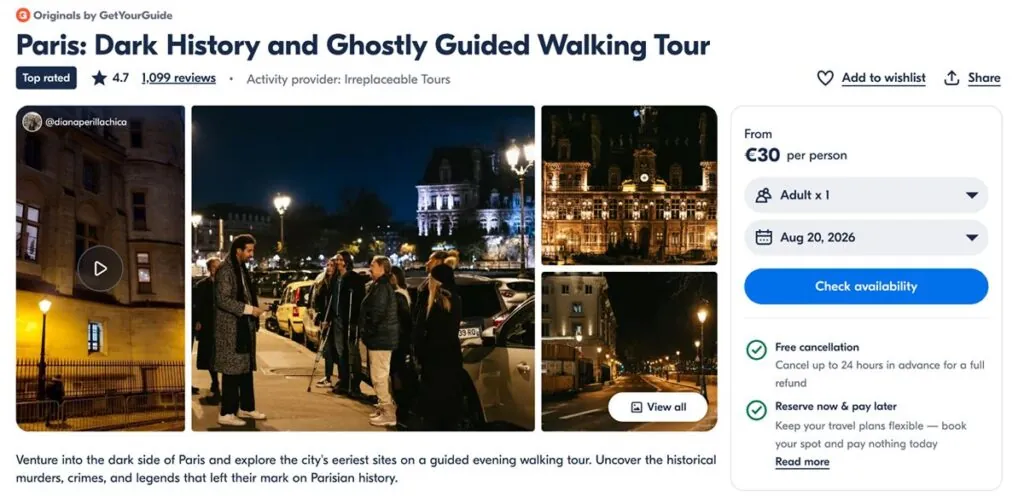
Point-of-view (POV) footage earns its place here more than anywhere else. When someone is on your product page, they are trying to picture themselves on your experience, and POV video responds to that directly in a way a photo carousel cannot. It also quietly answers the questions that stop bookings: how much walking is involved? Is the boat covered? Will an eight-year-old be bored by the second stop?
A POV video from Devour Tours gets potential guests salivating.
This video from Devour Tours rotates between close-ups of food and the people serving it. This type of POV food footage is exactly the asset that belongs in a product-page gallery, because it answers “what will I actually be eating” in four seconds.
You can also add video to other sources, such as your Google Business Profile, which is increasingly load-bearing now that two-thirds of travelers use AI when planning a trip and more than a quarter of U.S. travelers use it to find tours (Arival: Getting Found in the AI Age).
One word of caution: A heavy self-hosted file that drags your page load will cost more bookings than the video wins back. Host it and check your load time afterward. You can use LLMs/AI Tools such as Claude to help reduce file sizes.
Operator Takeaway: Open your top experience product page on your own phone right now. If you are not yet using video on your product pages, test it this week. It is a 10-minute change in most booking platforms and the cheapest conversion work available to you. You can also check how this performs by checking heatmap tools such as the free Microsoft Clarity.
3. How to Work the Algorithm: Post About the Same Narrow Thing, Relentlessly
Tour and activity operators tend to treat their social feed as a magazine covering everything their business does, which is understandable as many companies offer multiple destinations and products.
However, that variety can be exactly what stops the recommendation engine from finding your audience.
TikTok’s published explanation of its recommendation system lists the signals that shape the For You feed. Alongside user behavior, it weighs video information including captions, hashtags, sounds and language. Those are the fields that tell the system what your video is about, and the system uses them to match content against users who have shown interest in that subject.
Post 20 videos about 20 different subjects and you have given the platform 20 weak signals. Post 20 videos about the same food tour in the same neighborhood, using the same core vocabulary in your captions, and you have taught it precisely which audience to test you against. Each post also gets evaluated on its own merits, which is why a small account can outperform a large one on any given day.
Narrow beats broad in the age of algorithms and AI search. “Rome food tour” is a subject. “Trastevere at 7 p.m.” is a subject the system can place. Operators who commit to one recognizable format and one recognizable location tend to see distribution improve within weeks, while operators posting a mixture of behind-the-scenes clips, staff birthdays and destination trivia stay flat.
There is a real trade-off worth mentioning if you offer a wide range of products: narrowing to one experience will underserve the rest of your catalog for as long as you run the experiment. Mitigate this by running it on your highest-margin product, setting an end date, and accepting that the other tours may coast in the meantime.
Eating Europe’s posts focus on the same topic regardless of destination.
Eating Europe, although multi-destination, post and nail the same topic: food. Every post covers excellent food content, from what to eat to where to go.
This does not mean posting the same file repeatedly. It means the same subject, angle and vocabulary, filmed on different days with different guests.
Operator Takeaway: Pick your single best-selling product and commit the next 20 posts to it alone. Use the same three or four keywords in every caption. Give it six weeks before you judge the result, and resist the urge to post about anything else in the meantime.
13-15 April 2027 Insider Pro Access Members Save 20% THE event of the year for the European in-destination experiences industry Save up to €850 with an Autumn Advantage Ticket as an Insider Pro Member!
4. How to Get an Boost SEO: Embed YouTube on Your Blog and Product Pages
Short-form video has a second life that most operators never claim. If you upload the longer cut to YouTube and embed it on your own pages, you are working two search systems with one asset.
Google’s own video documentation is explicit about the mechanics of this. When you embed a third-party video such as YouTube, Google may index that video both on your web page and on the platform’s equivalent page. Google also confirms that a page does not need video as its main content to benefit. A blog post reviewing an embedded video or a product page carrying one still qualifies for indexing.
Two things decide whether this works:
- Each video needs its own VideoObject markup, a title, description and thumbnail image, filled in properly and not copy-pasted between videos. Your SEO (Search Engine Optimization) plugin most likely has fields for this.
- The thumbnail has to live at a URL that stays put. Google specifically warns that some image hosts serve thumbnail links that expire after a few hours. If the link is dead when Google next crawls, the video silently drops out of results; nothing tells you it happened.
You can check both in about a minute: paste the page URL into Google’s Rich Results Test. If it finds a video, you’re set. If it doesn’t, or it flags a thumbnail error, that’s your fix list.
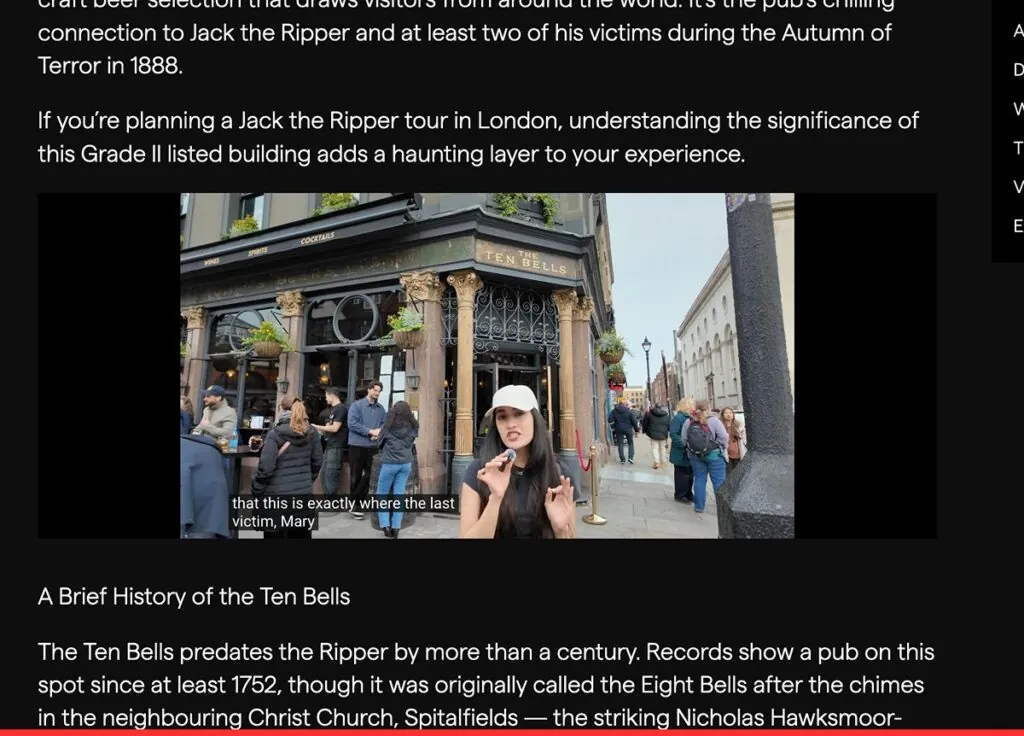
The practical payoff for a tour operator comes when your video result appears against long-tail searches that your text alone would struggle to win. Somebody searching how hard a particular hike is, or what a specific food tour includes, gets your video thumbnail rather than an OTA listing. This matters more every year, as AI answers take the simple questions.
Operator Takeaway: Take your three best clips, upload the longer versions to YouTube with search-led titles, and embed each one on its matching tour page and any related blog post. While you’re there, add VideoObject structured data — a small block of code that tells Google what the video shows, how long it runs, and where the thumbnail lives, so the page can appear as a video result rather than a plain blue link. Most SEO plugins have a field for it; WordPress, Yoast and Rank Math will generate it for you- Google’s video structured data guide has the full spec if your developer needs it. This is a half-day of work that keeps paying out.
5. How to Stop Running Out of Content: Put a Camera in Your Guides’ Hands
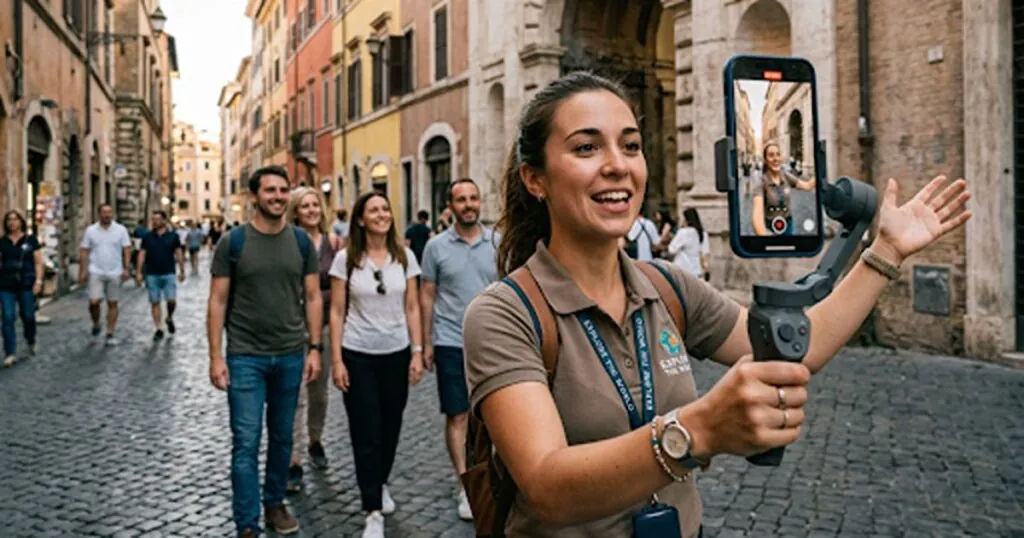
Every operator who abandons video does so for the same reasons: they run out of things to post or they struggle to get content creators and influencers on board. In some cases the fix is already on the tour: the guide or the host.
Your guides are already standing in the best content position in the business, with a phone in their pocket. To help them get effective video content, give them a standing brief rather than a vague request. For example, four shots per departure:
- The guide introducing themselves by name.
- The thing guests actually do, filmed over a guest’s shoulder.
- The moment people reach for their own phones.
- One unscripted guest reaction.
With this, two departures can produce enough material for weeks.
Guest footage compounds this. User-generated content (UGC) is one of the cheapest ways to keep a feed alive, and it carries a credibility that polished brand footage cannot buy. Ask at the end of the tour, get permission in writing, and make tagging easy by putting your handle on your meeting-point sign and in your confirmation email.
One huge win you can have is asking the guides to interview the customers at the end of the tour to see how they enjoyed it. It’s quick, easy and serves as great content on your product pages and Instagram highlights. Here’s an example of an interview video at the end of a tour:
Testimonial clips from actual guests on tour give a compelling start to this video.
Your guests are more willing than you assume. Arival’s 2025 Experiences Traveler study found 70 percent of UK tour takers post reviews, with travelers aged 18 to 54 by far the most likely to write one. Asking someone for 15 seconds of video is a smaller favor than asking them to write a paragraph.
Build it into the job rather than treating it as a favor asked of guides. Add the four-shot list to guide onboarding, create one shared album where footage lands, and review it weekly. Operators who do this stop commissioning content and start editing a backlog.
Operator Takeaway: Add the four-shot list to your guide briefing this month and set up a single shared folder for footage. Put your social handle on your meeting-point sign and in every confirmation email. Within a month you will have more usable material than you can post. And finally, try asking your guides to film a quick video review of your guests at the end of the tour.
Bonus: How to Tell Whether Any of This is Working
Test the conversion claim on your own pages. The published statistics almost all come from e-commerce, most originate in vendor marketing rather than independent research, and none of them studied anything close to your situation: a €90 walking tour, sold to a family choosing between three operators
The five moves need five different metrics, and judging all of them by view count is why many operators conclude video does nothing. Here’s how to assess each of the five moves we’ve discussed:
- Move one: desire footage. Watch your hold rate at three seconds and your saves, which the platforms report natively. Saves and shares signal intent in a way likes never have. A video people save is one they are showing to the person they would travel with. Save is your golden metric: have they saved a tour video? It means the viewer wants to come back to it.
- Move two: placement. This is the one that shows up in revenue. Track the share of tour-page visitors who reach the first step of checkout, measured before the video went into the gallery and after. Run it for four weeks against the same four weeks in your baseline, on your highest-traffic tour only. Remember to use heatmap tools to get a real feel for how visitors interacted with your page.
- Move three: narrow posting. Watch the share of views coming from non-followers. Rising non-follower reach means the recommendation system has worked out who to test you against. Flat non-follower reach after six weeks means your captions are not saying what you think they are saying.
- Move four: YouTube embeds. Open Google Search Console and watch impressions for the pages carrying the embed, plus whether a video result appears for your target queries. This one takes the longest to show, so give it a full quarter.
- Move five: the guide content engine. Count usable clips per month. The metric that matters here is supply, and the cost per post should trend toward zero.
Most independent operators lack the traffic for a clean A/B test, so a before-and-after on a single page is the practical substitute. Seasonality is the thing most likely to skew the comparison, which is why you compare like periods and write down anything unusual that happened in the window. Microsoft Clarity and the Hotjar free tier both give you heatmaps and session recordings at no cost, and they will tell you whether visitors are clicking the video thumbnail at all. Near-zero plays points at placement rather than content.
Calibrate what success looks like before you start. A few percentage points on your booking-start rate is a genuine result at this scale (and anyone promising a doubling is selling something). Given that only 22 percent of operators rate their own marketing as effective, measuring anything at all already puts you ahead of most of the sector.
Operator Takeaway: Write down today’s date and three numbers: your booking-start rate on one product page, your non-follower reach percentage, and how many usable clips you currently hold. Check the same three in four weeks. Without that baseline you will be guessing in a month, and guessing is how operators talk themselves out of a channel that was working.
12-15 Oct 2026 Insider Pro Access Members Save 20% THE event of the year for creators and sellers of destination experiences to connect, learn & grow. Don’t Miss Out! Get Your Ticket Today!
Start Making These Five Moves Today
These five moves reinforce each other. Filming desire gives you something worth placing on the product page. Placing it there converts the traffic you already pay for. Posting narrowly teaches the platform who to send you. Embedding on YouTube compounds it into search. And your guides keep the whole thing supplied without a production budget. The measurement is what stops you from abandoning your system in week three.
Start with placement, because it takes 10 minutes and works on visitors who are already deciding. Note your baseline before you touch anything. Then hand your best guide the four-shot list before their next departure.
Your guide saying their own name to the camera is the easiest piece of trust you own. Most operators have never filmed it.
About the Author

Oliver Green is an Arival Insights Contributor and regular speaker at Arival events. As a travel and tourism consultant and operator, he specializes in automation, AI, and scalable systems for tour companies. He helps operators increase direct revenue, reduce operational overhead and modernize their tech stack.
Become an Insider Pro Access member today and get access to the full library of Arival research, plus many other benefits such as free consulting sessions, special discounts and 20% off in-person events, starting from $179 per year.
Sign up to receive insights tailored for the in-destination industry as well as updates on Arival.
Header photo: Created using Generative AI